> ## Documentation Index
> Fetch the complete documentation index at: https://blockscout-vb-contract-verification-on-demand-creation-data.mintlify.site/llms.txt
> Use this file to discover all available pages before exploring further.
# Creating an AWS Secret Access Key Pair for CLI
> Create an AWS access key ID and secret access key from My Security Credentials so the AWS CLI can authenticate for Blockscout Terraform deployment.
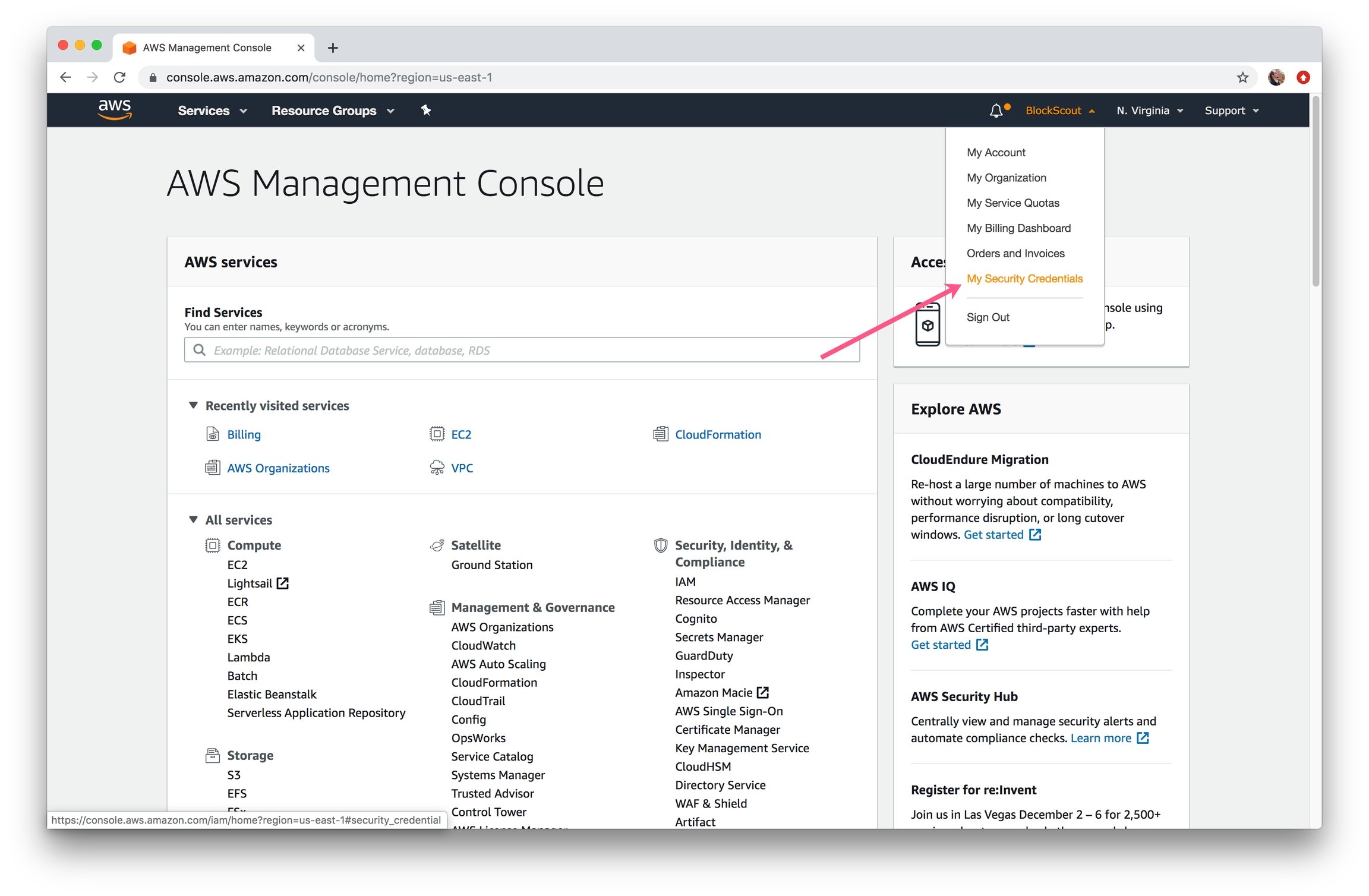
1\) Go to MyAccount -> My Security Credentials
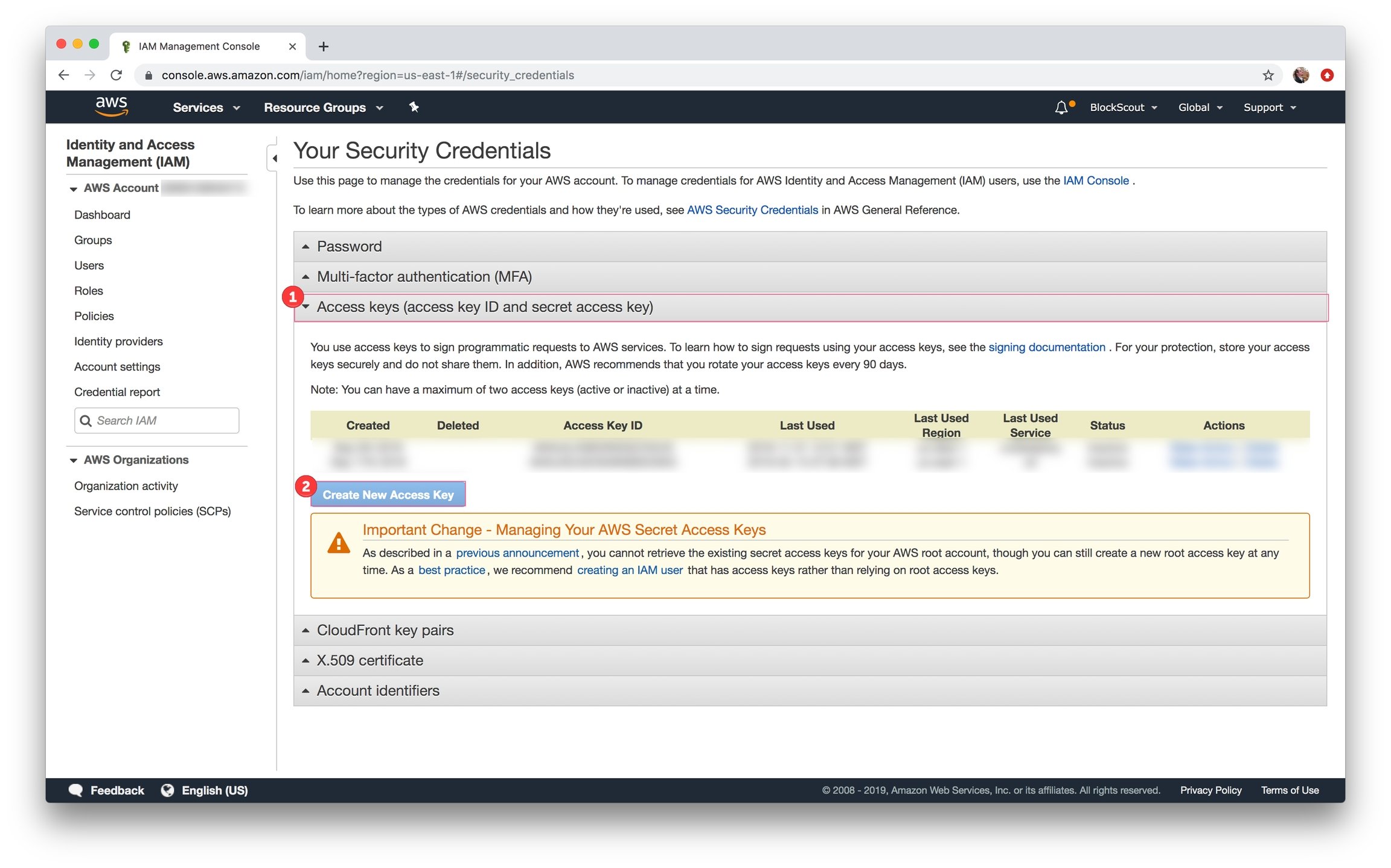
 2\) Expand **Access keys** section and click **Create New Access Key** button
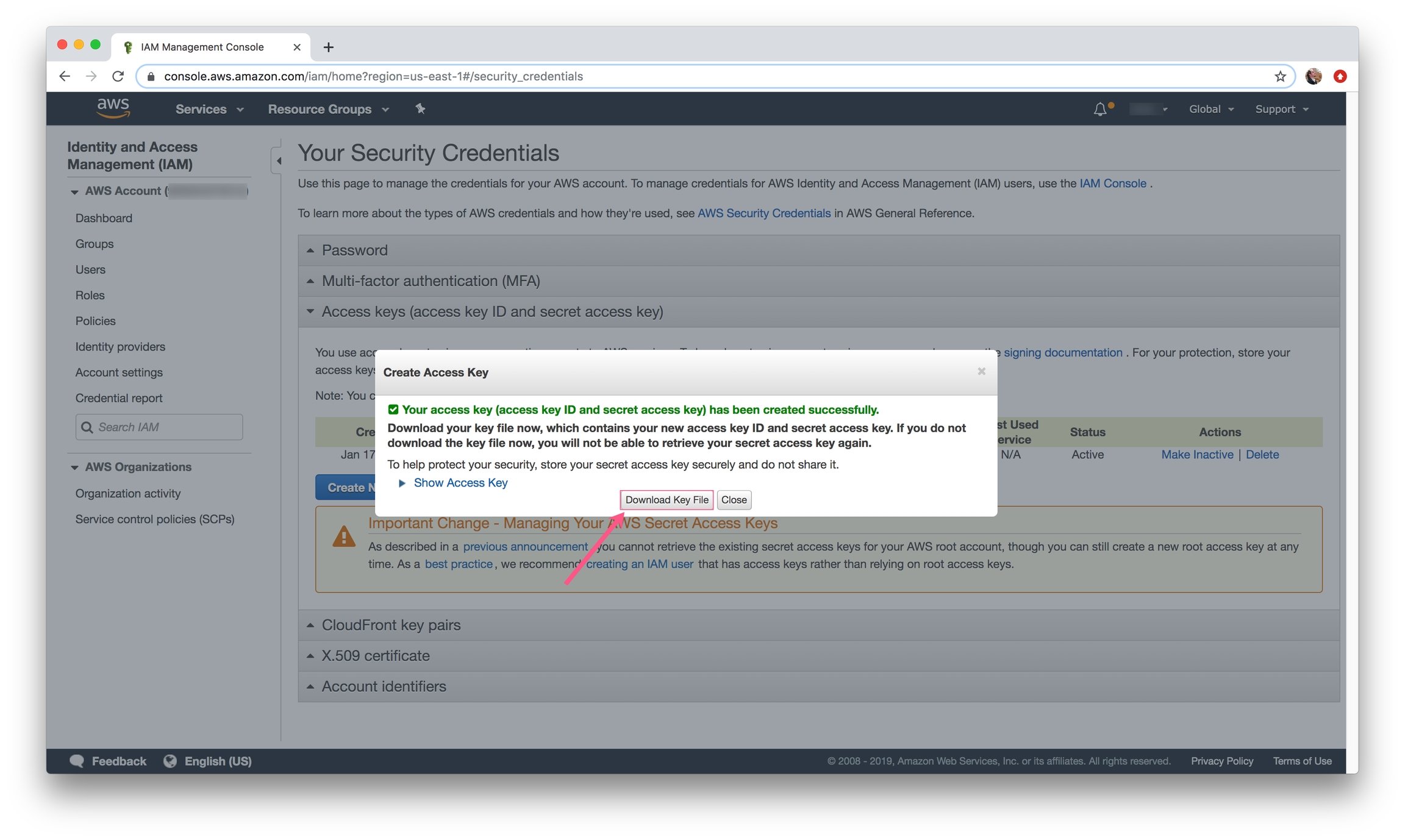
 3\) Download your key file and store it in a safe place. You will need it to log in with the AWS CLI. The file will include:
* AWSAccessKeyID
* AWSSecretKey
3\) Download your key file and store it in a safe place. You will need it to log in with the AWS CLI. The file will include:
* AWSAccessKeyID
* AWSSecretKey