> ## Documentation Index
> Fetch the complete documentation index at: https://blockscout-vb-contract-verification-on-demand-creation-data.mintlify.site/llms.txt
> Use this file to discover all available pages before exploring further.

# Creating An AWS Certificate For SSL

> Request and validate a public AWS ACM certificate for SSL on Blockscout, then set the ARN in terraform.tfvars via alb_certificate_arn.

<Warning>
  If you **do not want to use SSL**, you can disable by adding the `use_ssl = "false"` parameter to the `terraform.tfvars` file.
</Warning>

### To create:

1\) Go to [https://console.aws.amazon.com/acm/](https://console.aws.amazon.com/acm/). Select provision certificates and click on get started:
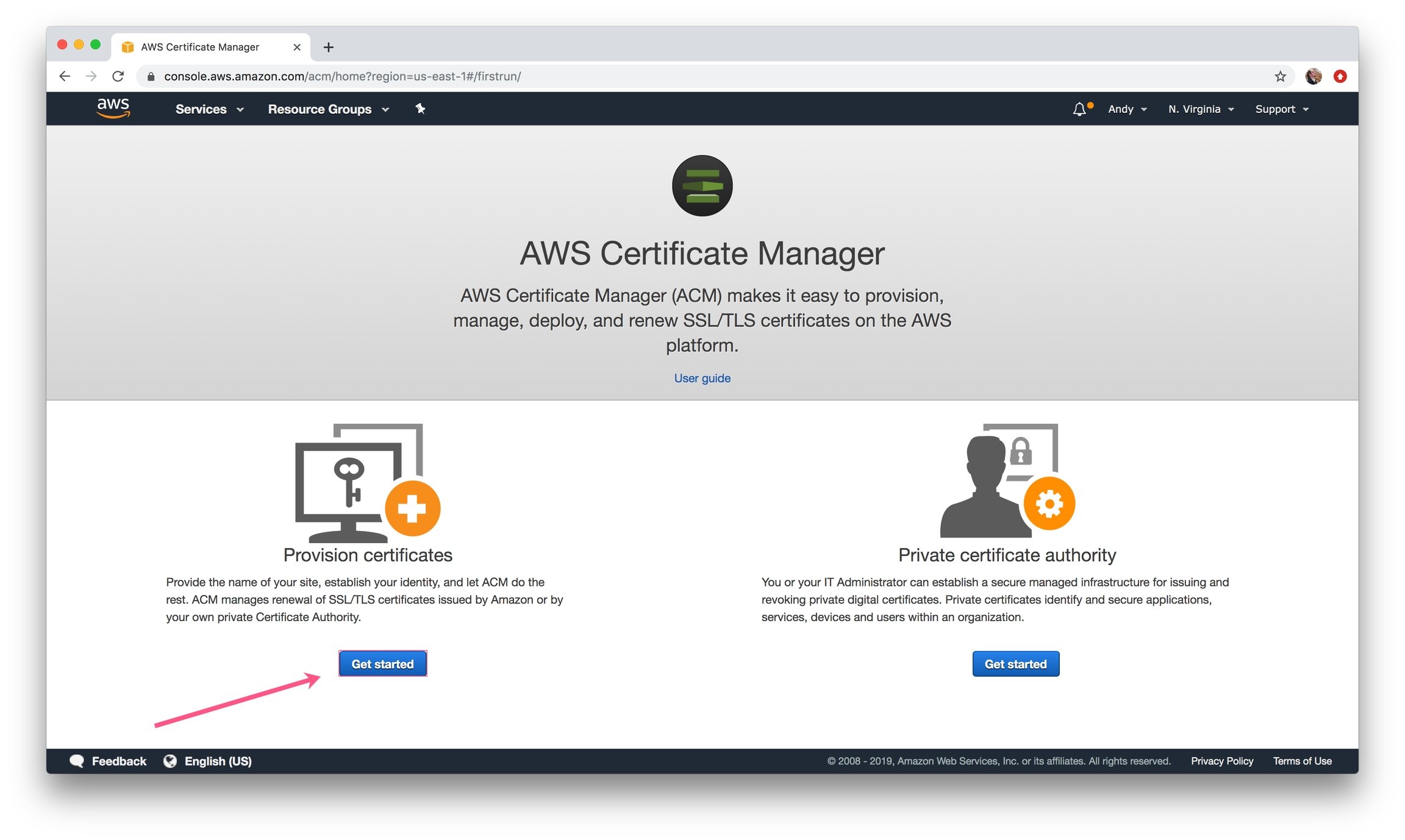
<Frame caption="Get Started">
  <img src="https://mintcdn.com/blockscout-vb-contract-verification-on-demand-creation-data/KQ-ATIcr26hfY9is/images/ac321ad7-image.jpeg?fit=max&auto=format&n=KQ-ATIcr26hfY9is&q=85&s=e17f57814863d0e8751f90c8c35e53cc" width="2304" height="1378" data-path="images/ac321ad7-image.jpeg" />
</Frame>

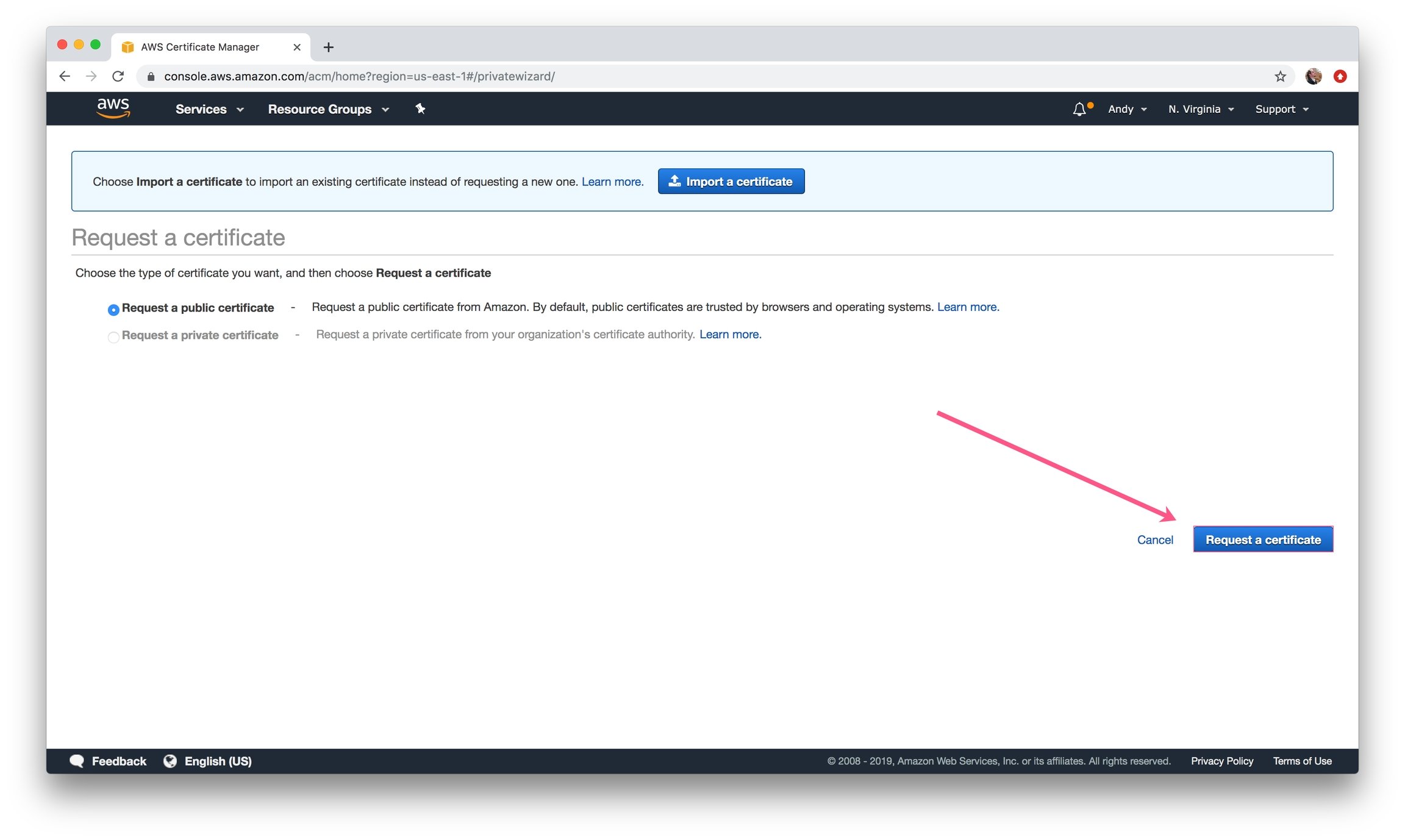
2\) Request a Public Certificate.

<Frame caption="Request a certificate">
  <img src="https://mintcdn.com/blockscout-vb-contract-verification-on-demand-creation-data/PbSIhs1i1kwSL6Uy/images/d6d001c1-image.jpeg?fit=max&auto=format&n=PbSIhs1i1kwSL6Uy&q=85&s=1056621ee733e965e787bd3d64021968" width="2304" height="1378" data-path="images/d6d001c1-image.jpeg" />
</Frame>

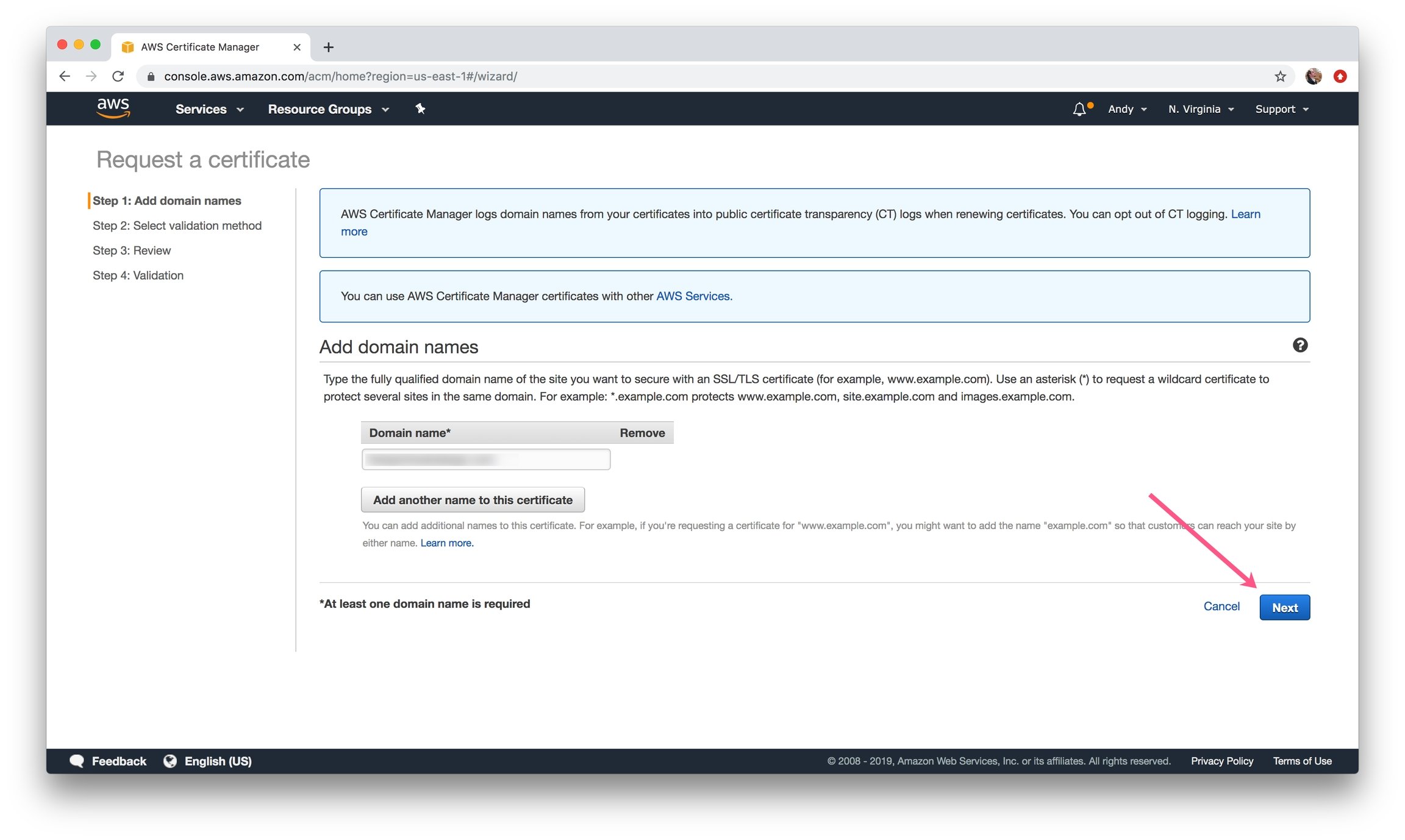
3\) Add a domain you have access to and click **Next**.

<Info>
  This does not need to be the same domain for deployment - as long as it's a valid ARN on your account it will pass verification.
</Info>

<Frame caption="Add your Domain name">
  <img src="https://mintcdn.com/blockscout-vb-contract-verification-on-demand-creation-data/Q2sm89kUzBIYi7P3/images/02c37a26-image.jpeg?fit=max&auto=format&n=Q2sm89kUzBIYi7P3&q=85&s=6a13ba7c708a12ea59a5350feda01440" width="2304" height="1378" data-path="images/02c37a26-image.jpeg" />
</Frame>

4\) Choose your validation method (your preference) and click **Review**.
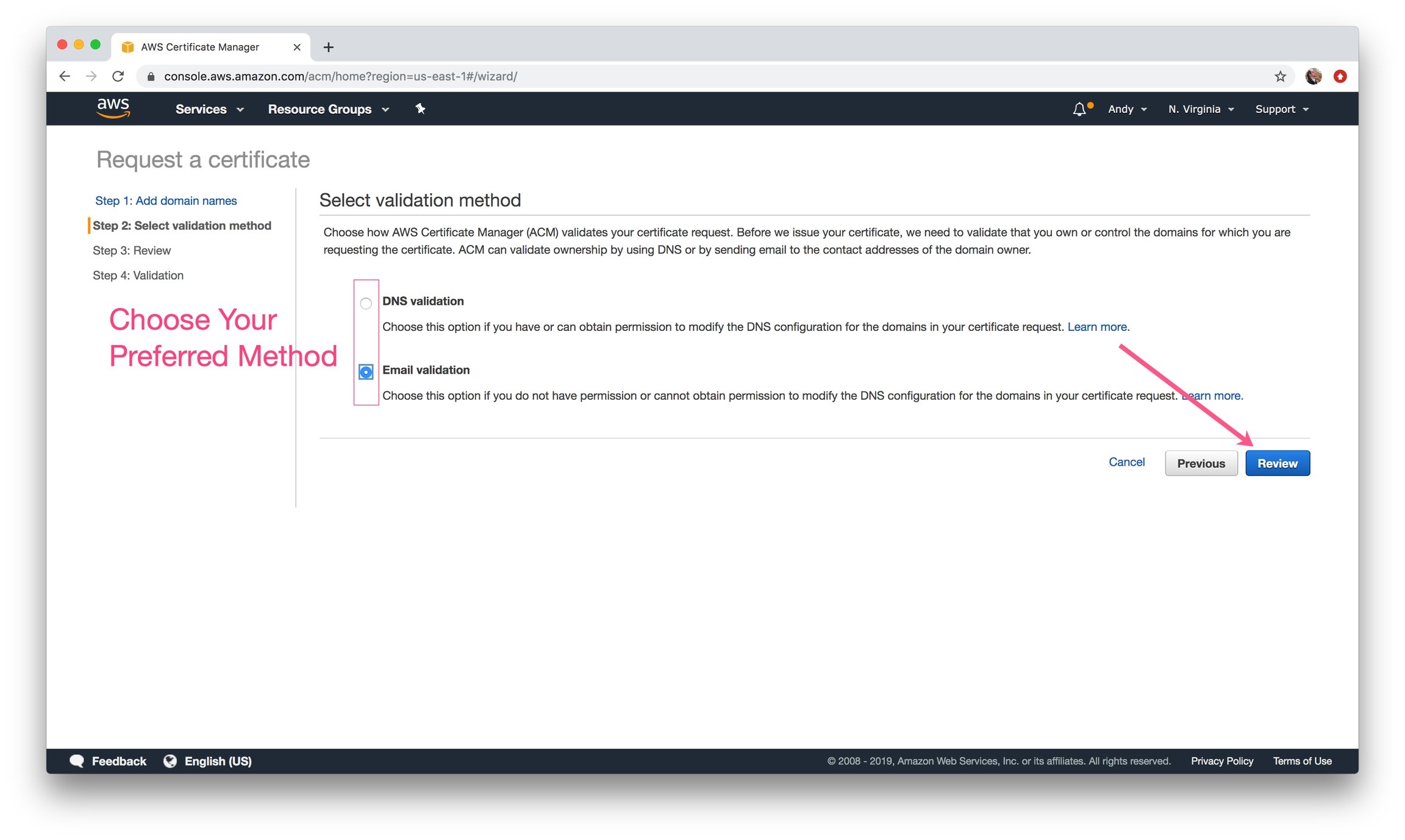
<Frame caption="Choose either method and click Review">
  <img src="https://mintcdn.com/blockscout-vb-contract-verification-on-demand-creation-data/Q2sm89kUzBIYi7P3/images/0eae8e36-image.jpeg?fit=max&auto=format&n=Q2sm89kUzBIYi7P3&q=85&s=f65d65de809d6a7915a7ca305574dd12" width="2304" height="1378" data-path="images/0eae8e36-image.jpeg" />
</Frame>

5\) Review your information and click **Confirm and request.**
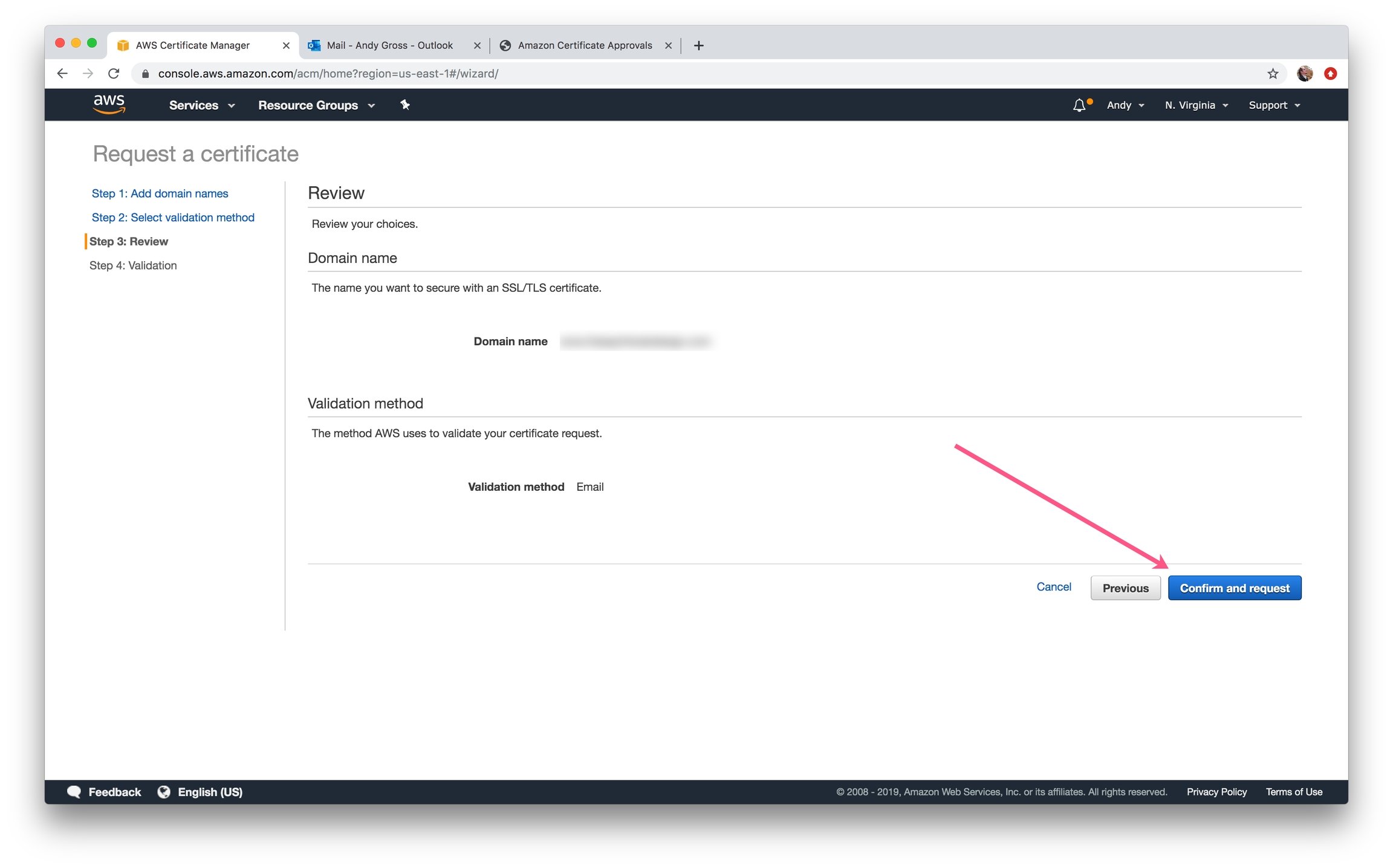
<Frame caption="Click Confirm and request">
  <img src="https://mintcdn.com/blockscout-vb-contract-verification-on-demand-creation-data/PbSIhs1i1kwSL6Uy/images/c851895e-image.jpeg?fit=max&auto=format&n=PbSIhs1i1kwSL6Uy&q=85&s=37cb4027192ca31e6c021d995872060f" width="2304" height="1436" data-path="images/c851895e-image.jpeg" />
</Frame>

6\) Click **Continue** to begin validation.
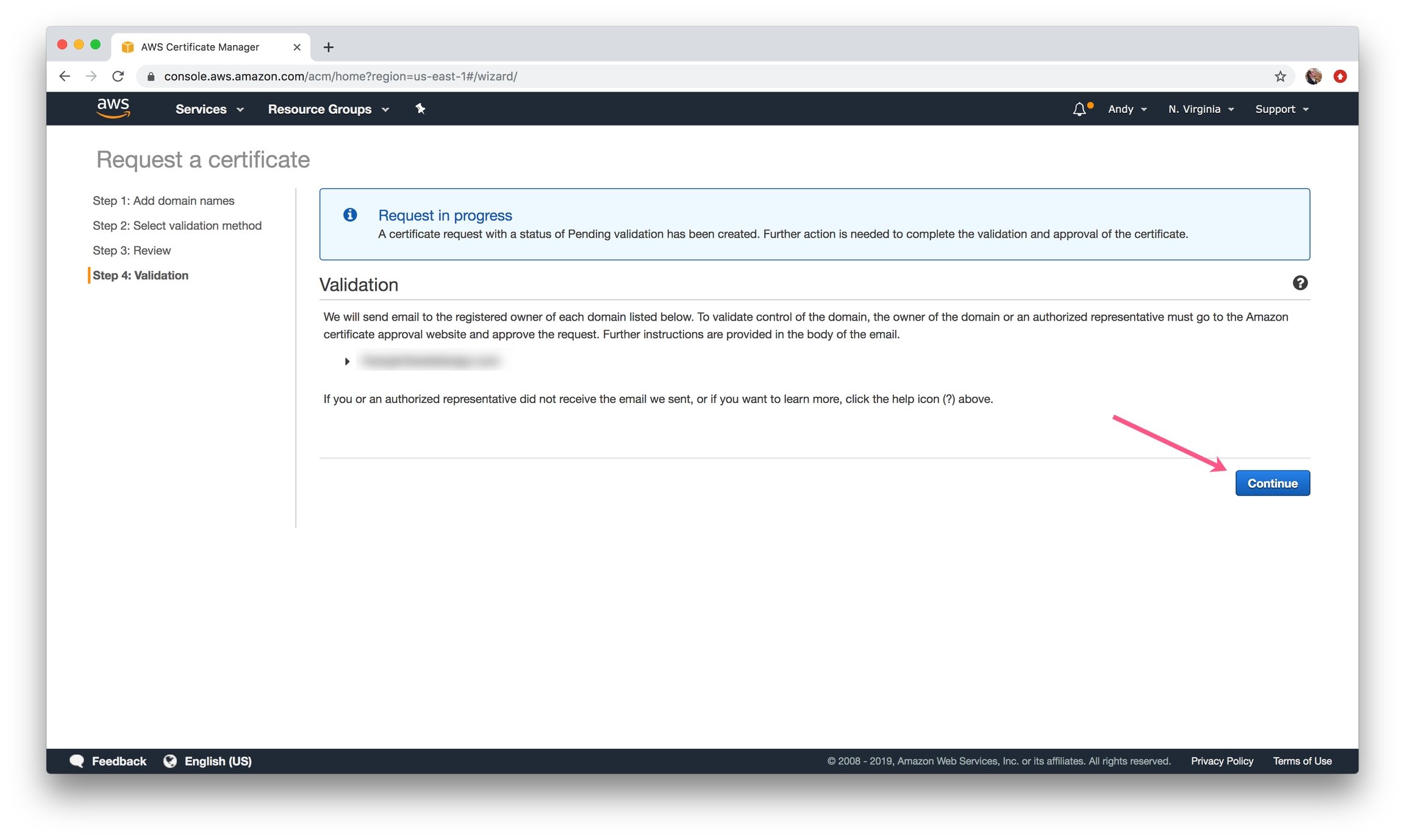
<Frame caption="Continue to Validate your certificate">
  <img src="https://mintcdn.com/blockscout-vb-contract-verification-on-demand-creation-data/Q2sm89kUzBIYi7P3/images/3fd60fe0-image.jpeg?fit=max&auto=format&n=Q2sm89kUzBIYi7P3&q=85&s=f00d47020fc5df3b4f1a503274665f81" width="2304" height="1378" data-path="images/3fd60fe0-image.jpeg" />
</Frame>

7\) Confirm the Domain:

* **DNS Validation:** Create a CNAME record in the DNS configuration for each of the domains listed below.
* **Email Validation:** Receive email and follow link
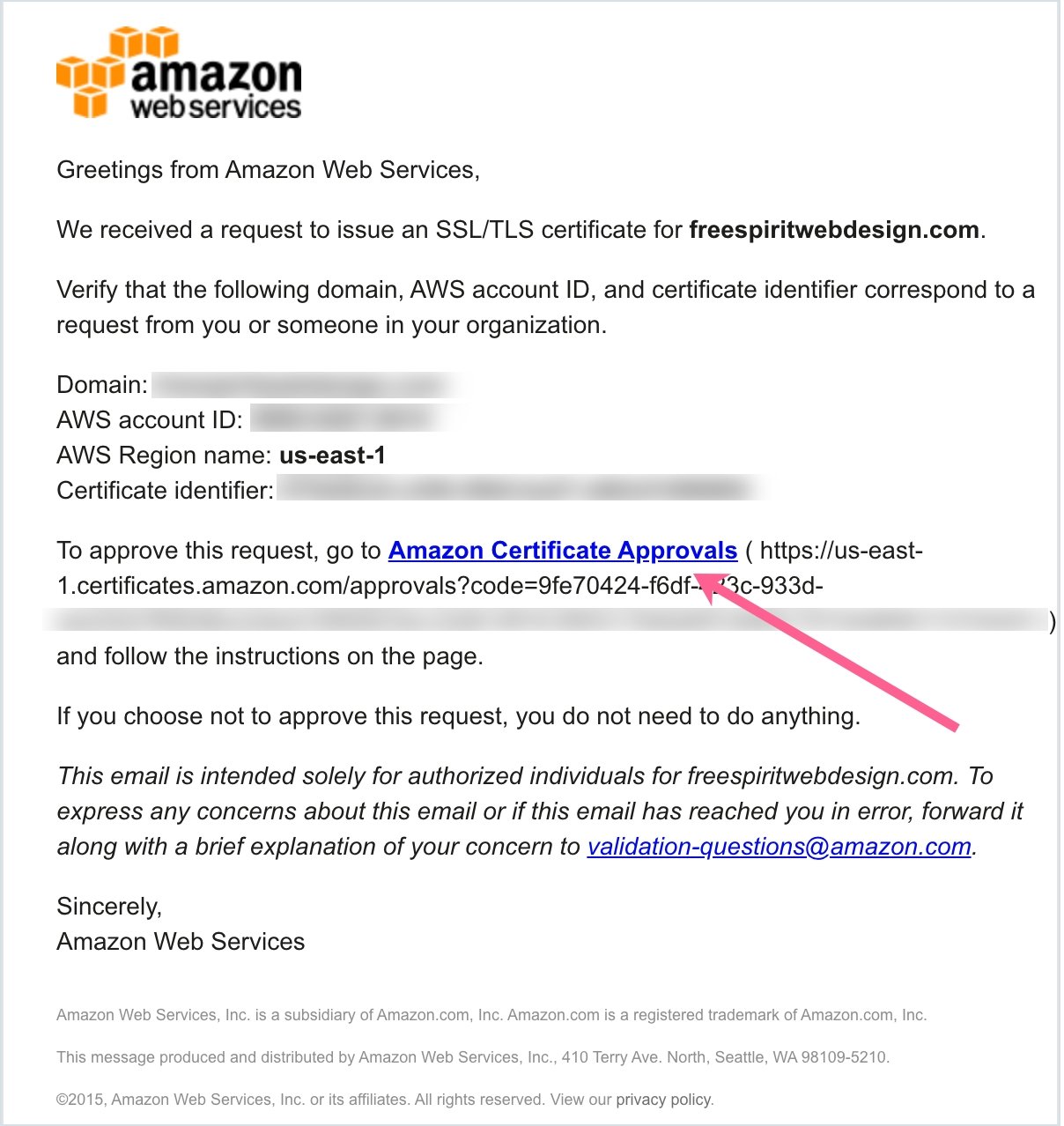
<Frame caption="Email Validation">
  <img src="https://mintcdn.com/blockscout-vb-contract-verification-on-demand-creation-data/Q2sm89kUzBIYi7P3/images/30d7048f-image.jpeg?fit=max&auto=format&n=Q2sm89kUzBIYi7P3&q=85&s=b9c6a2bb19265312f427190a19fb9a82" width="1208" height="1278" data-path="images/30d7048f-image.jpeg" />
</Frame>

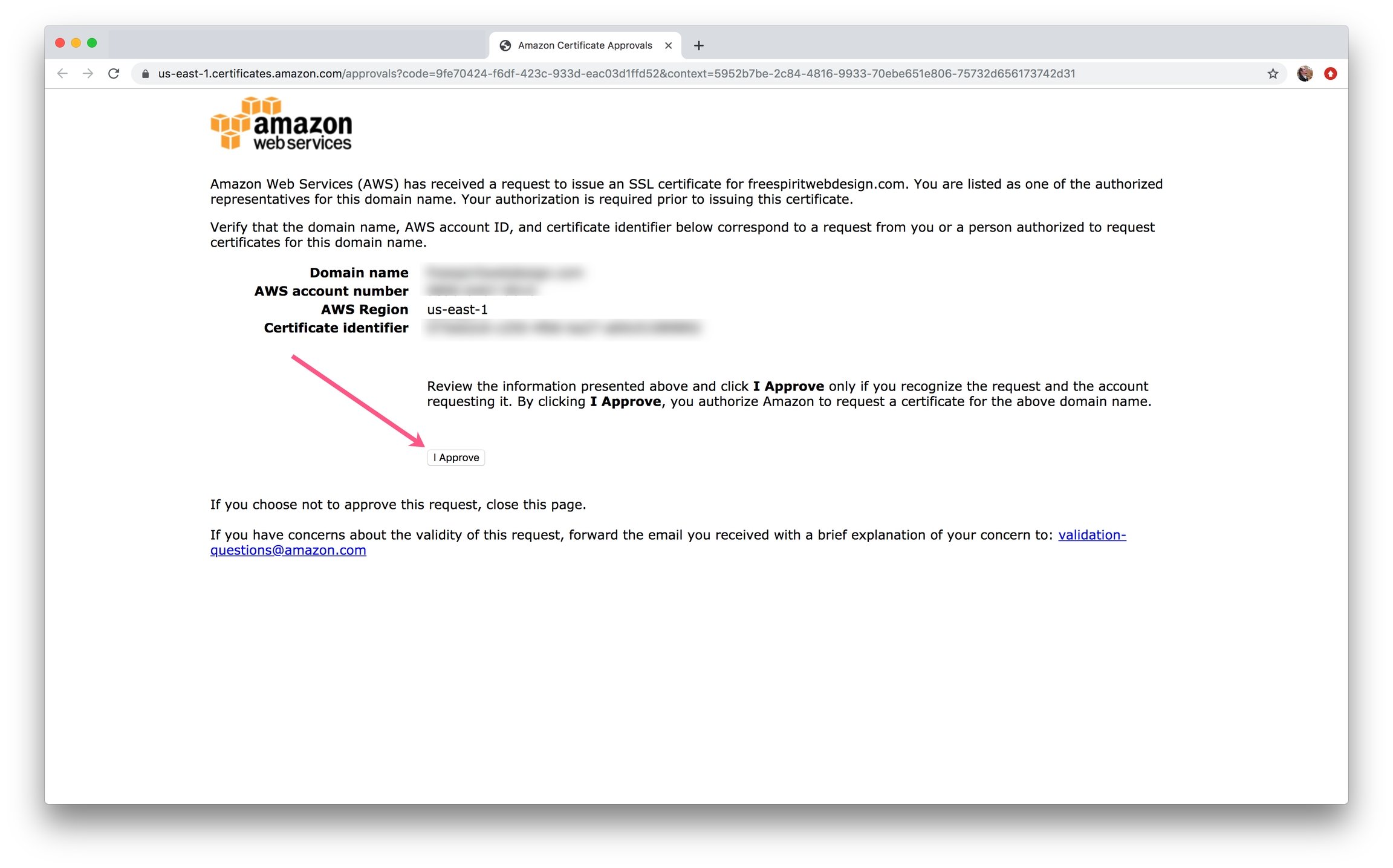
8\) Approve the Certificate

<Frame caption="Click I Approve to complete the process">
  <img src="https://mintcdn.com/blockscout-vb-contract-verification-on-demand-creation-data/Q2sm89kUzBIYi7P3/images/2d49bb16-image.jpeg?fit=max&auto=format&n=Q2sm89kUzBIYi7P3&q=85&s=a024d6cf23213bedbeaab9a653365023" width="2304" height="1436" data-path="images/2d49bb16-image.jpeg" />
</Frame>

9\) In the AWS Certificate Manager, click on the domain name to view the certificate details. **Copy and paste your ARN** into the `alb_certificate_arn` field in the `terraform.tfvars` file
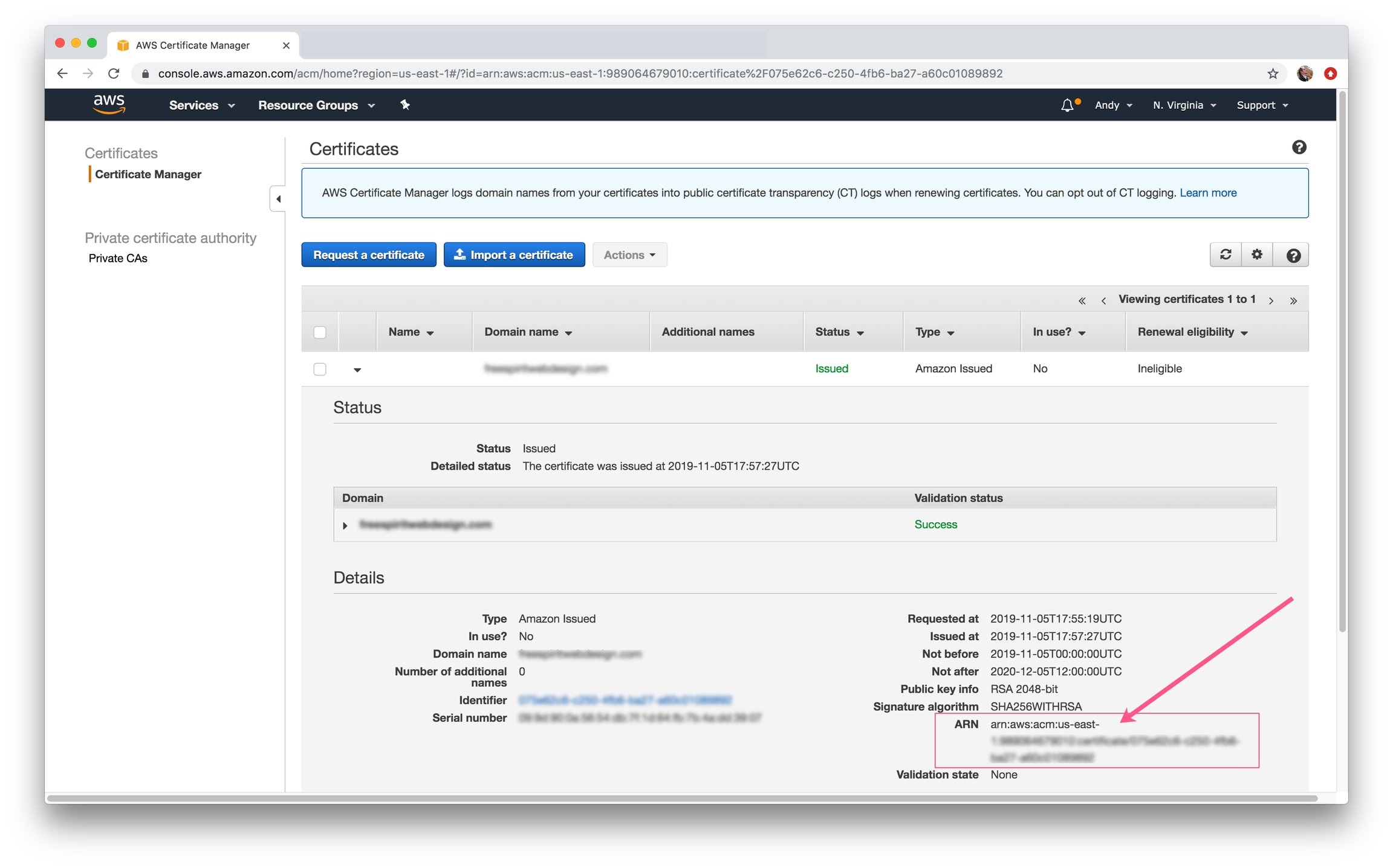
<Frame caption="Copy and Paste the full ARN into the alb_certificate_arn field in terraform.tfvars">
  <img src="https://mintcdn.com/blockscout-vb-contract-verification-on-demand-creation-data/PbSIhs1i1kwSL6Uy/images/e5b02517-image.jpeg?fit=max&auto=format&n=PbSIhs1i1kwSL6Uy&q=85&s=e975dbcd097a0400f385112e7d810ef6" width="2304" height="1436" data-path="images/e5b02517-image.jpeg" />
</Frame>